





How to give your IBAN to Orange

Go to the Orange portal (orange.fr) and log in to the customer area at the top right.
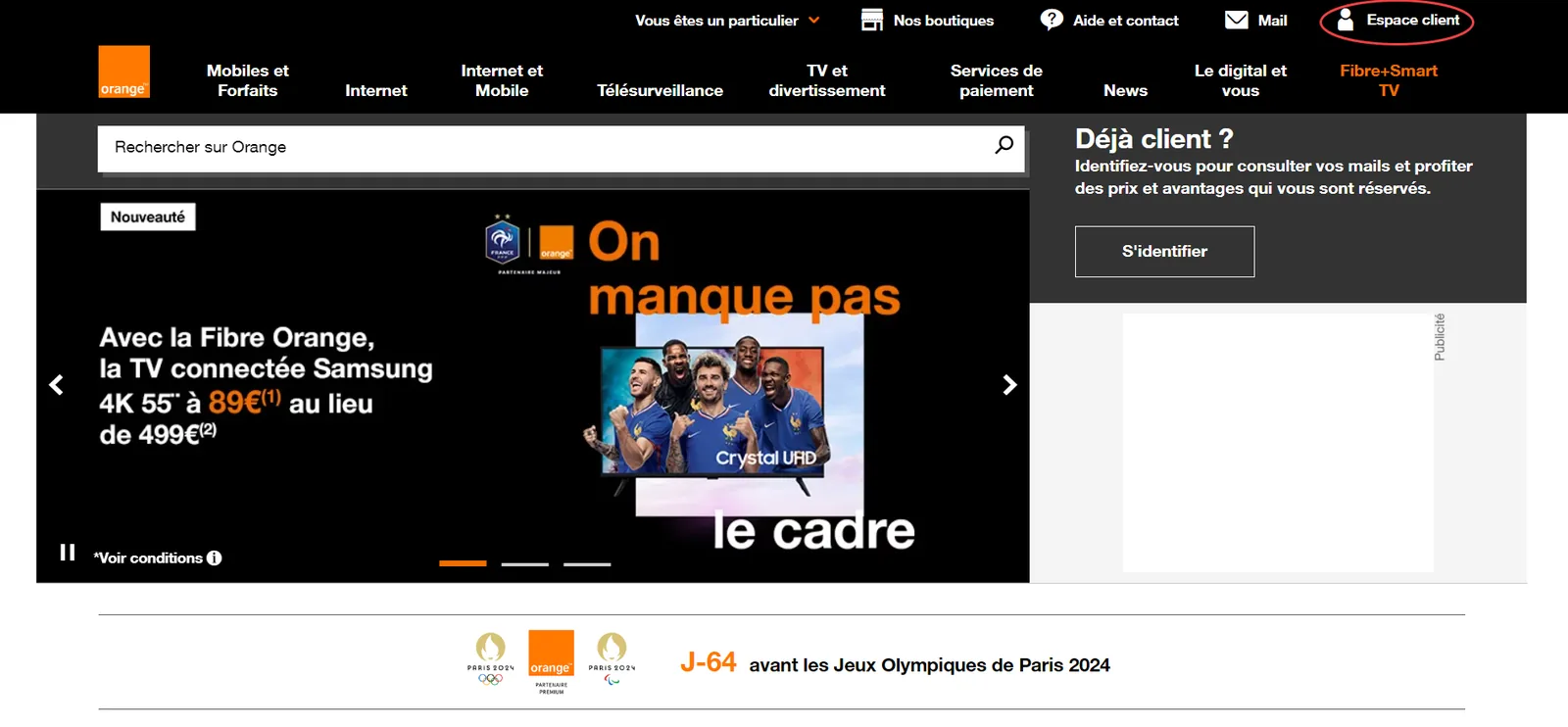

Click your name at the top right.


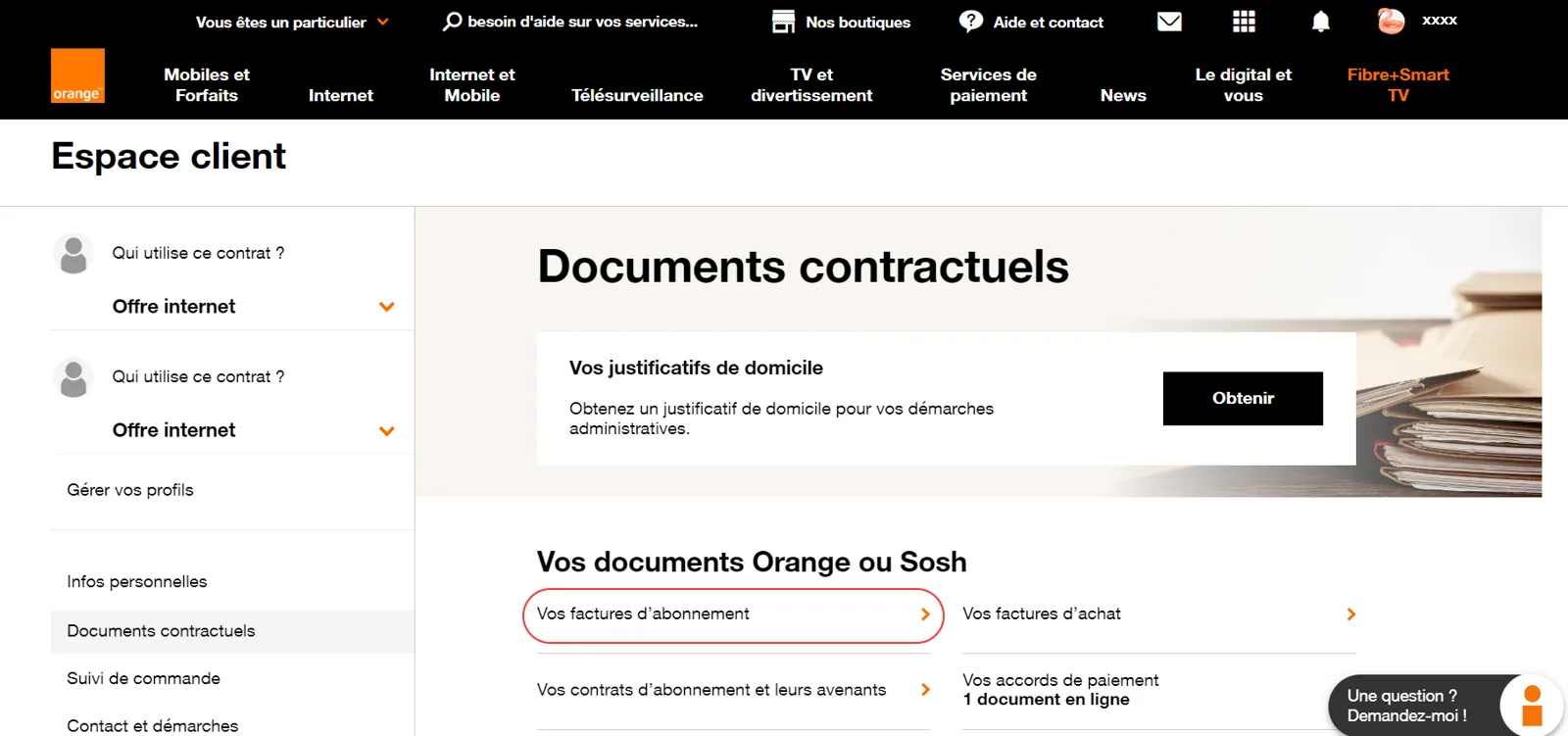
Select the “Documents contractuels” (Contract documents) section.
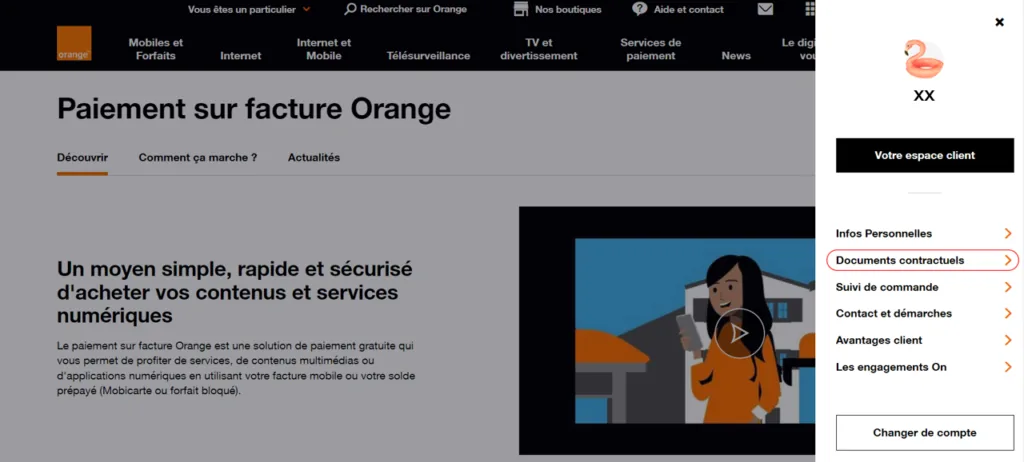

Go to “Vos factures d’abonnements” (Your subscription bills).

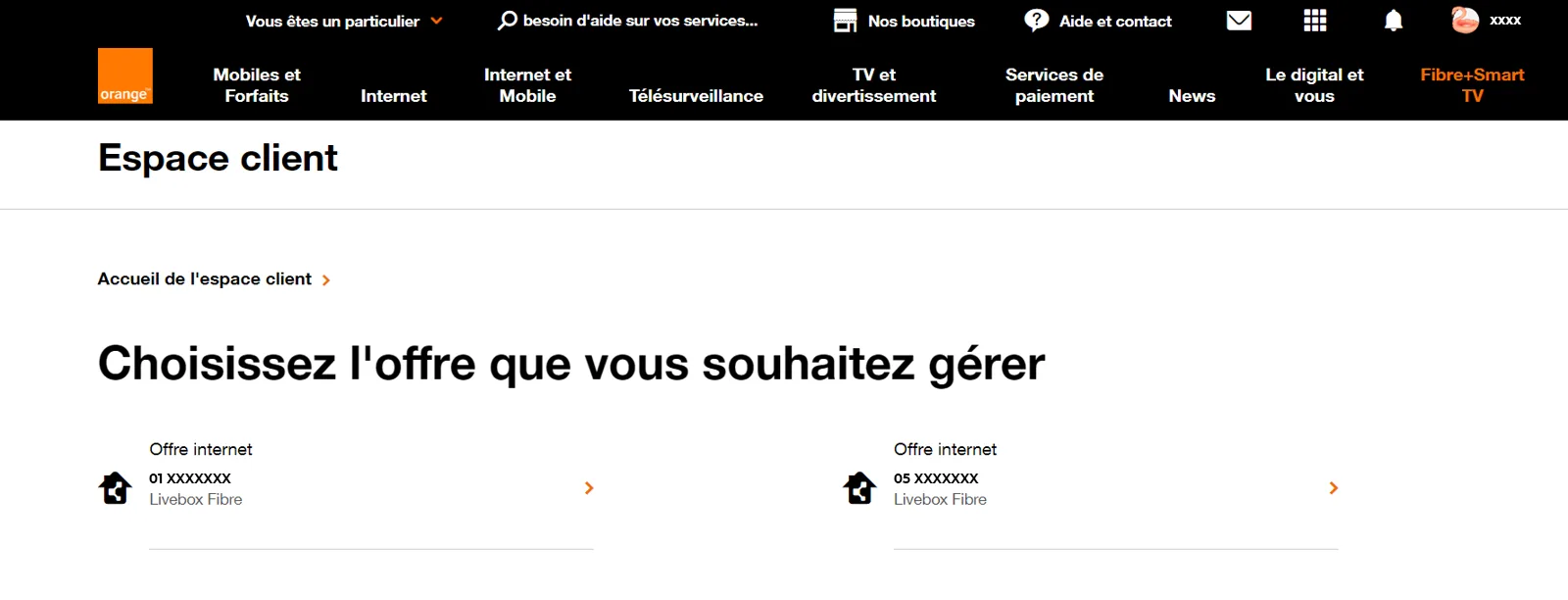
Choose the plan to manage.

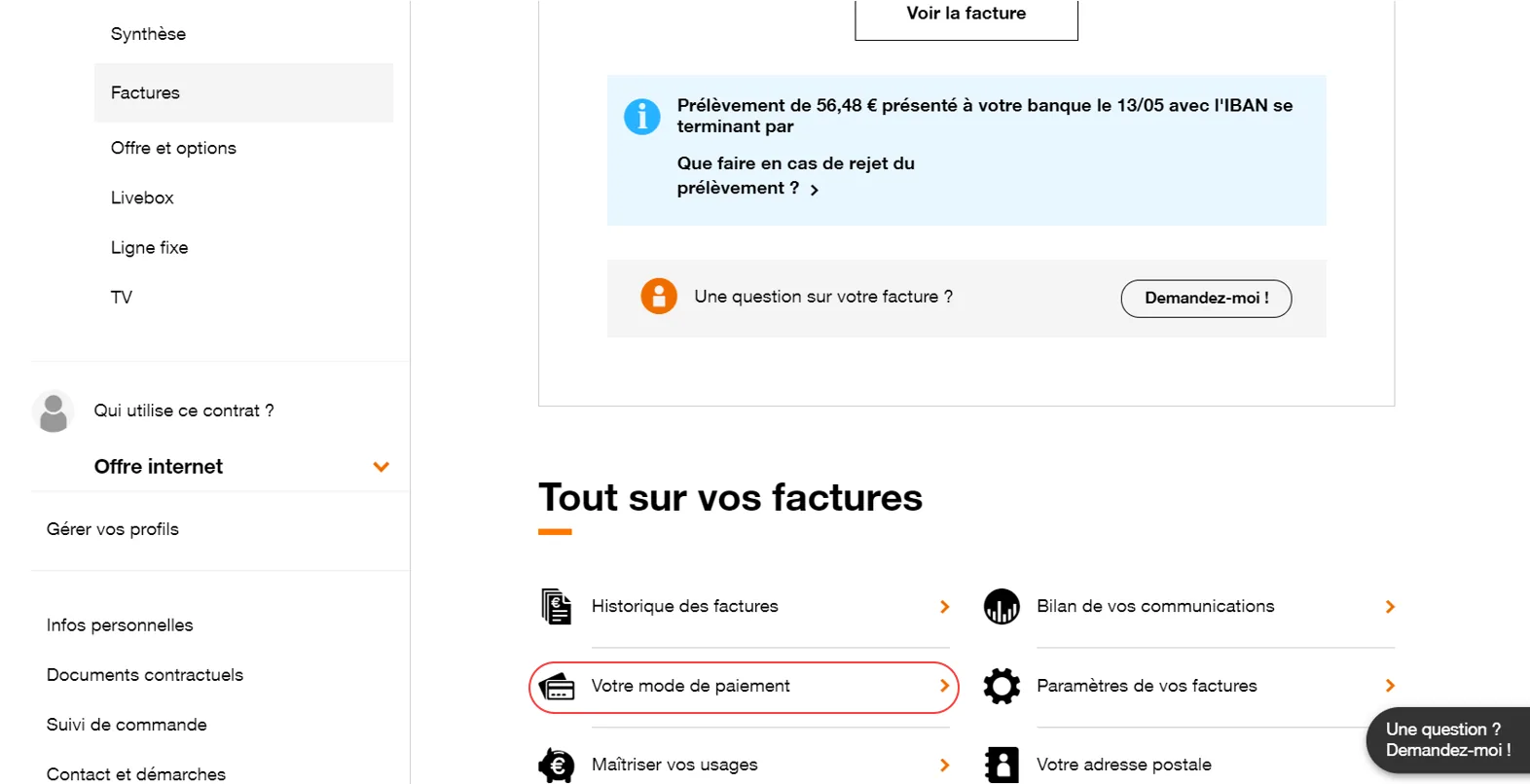
Select “Votre mode de paiement” (Your payment method).

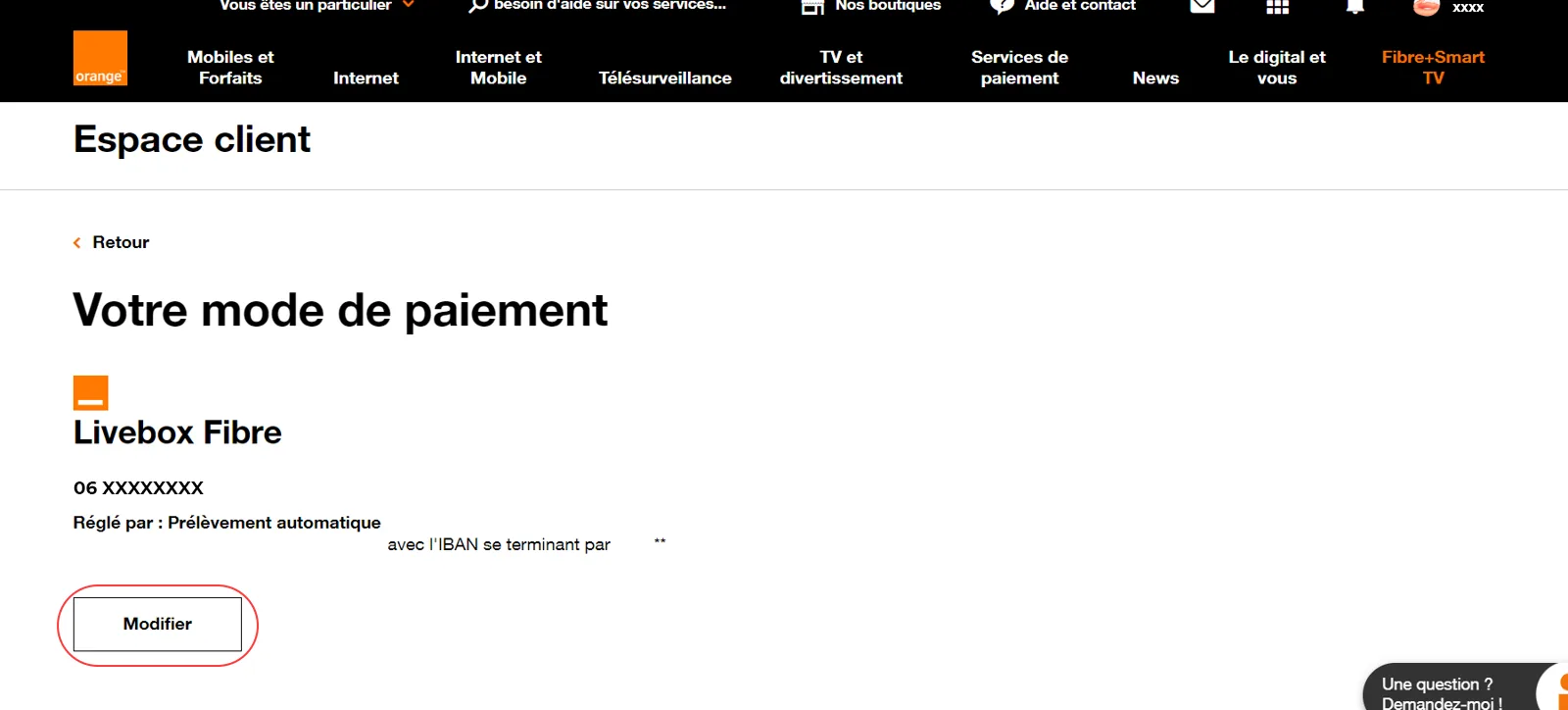
Click “Modifier” (Edit).

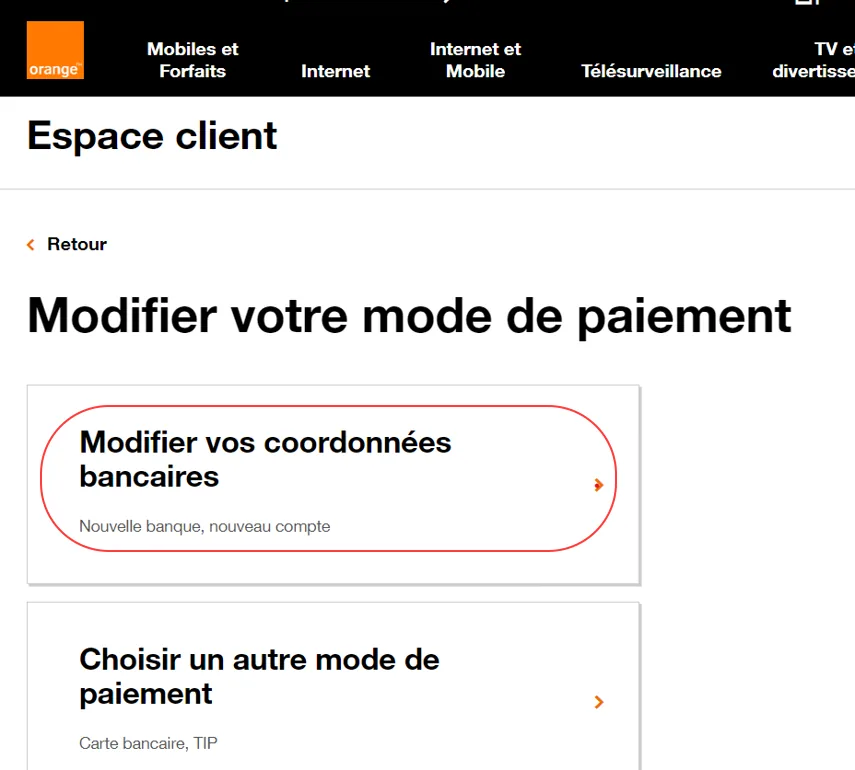
Click “Modifier vos coordonnées bancaires” (Change your bank details).

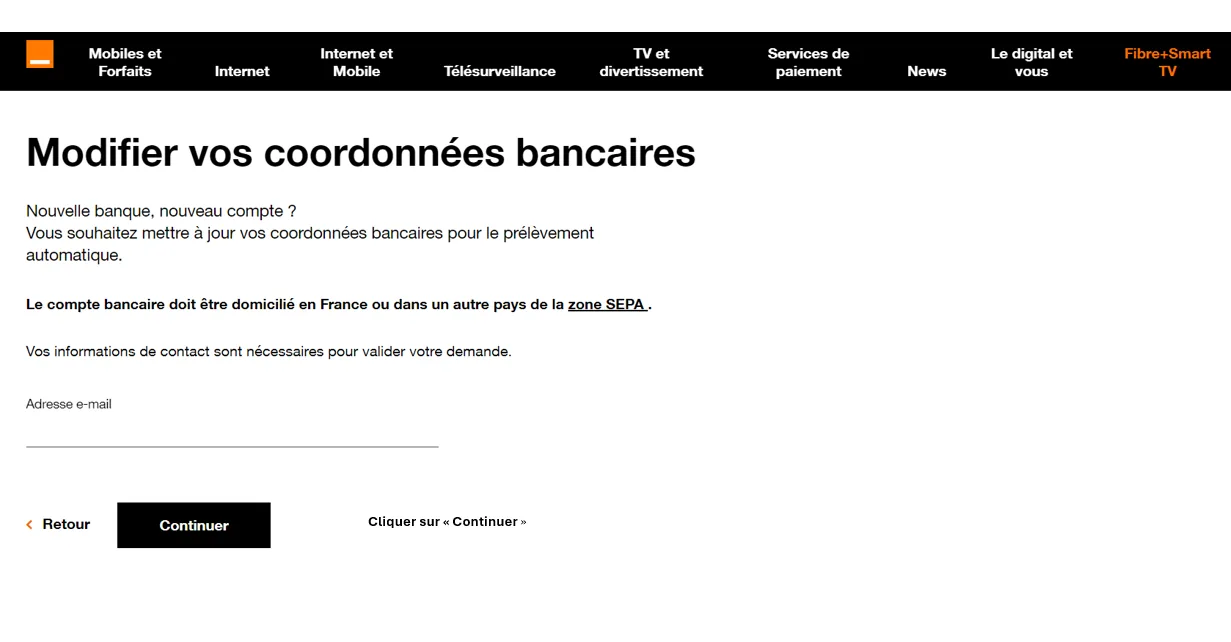
Add your email address and click “Continuer” (Continue).

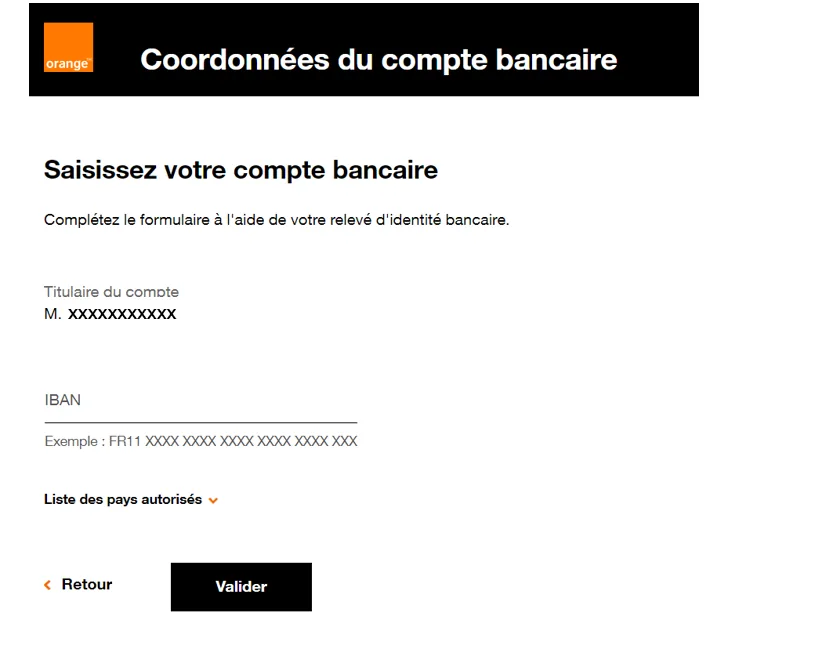
Enter your new IBAN / BIC and click “Valider” (Confirm).

Well done, you have changed your IBAN! 🎉
Your PCS card comes with a French IBAN: download your bank details (RIB) from your “My account” area or the MyPCS app.
➔ See our list of tutorials: